Most submittal tools build you a list. We build the submittals.
SubPro reads the spec book, drafts the log, and assembles the packages, so the week your team loses to transcription becomes a couple of hours of review. Every row cites the spec page it came from. You check the work instead of taking it on faith.
Ask the built-in chat which rows still need review or where a warranty requirement is buried, and get an answer with the page behind it. Your team makes every call, and we stay with you from the first spec set to a clean handoff.
Actual timing depends on spec quality, project scope, available package matches, and your team's review process.
Submittal Log + Package Assembly Sample
Try: Which rows need review before export?
| CSI Section | Submittal | Requirement | Ref. | Review |
|---|---|---|---|---|
| 03 30 00 | Concrete Mix Design | Submit concrete mix designs with compressive strength, slump, and admixture data. | 2.3.A | Ready |
| 04 20 00 | Masonry Units | Submit masonry unit product data, dimensions, colors, and samples. | 2.2.A | Ready |
| 07 20 00 | Thermal Insulation | Submit insulation product data with R-value, thickness, and attachment method. | 2.4.A | Ready |
| 08 41 13 | Aluminum Storefront System | Submit storefront shop drawings, anchorage details, and finish data. | 2.3.A | Flagged |
| 09 90 00 | Coating System | Submit coating system product data, surface preparation, and application requirements. | 2.1.B | Check |
| 26 05 00 | Panelboards | Submit panelboard schedules, product data, and short-circuit ratings. | 2.5.A | Review |
Synthetic sample. Real output depends on the source documents, available package matches, and your team's review. Flagged rows point your team to items that need a decision before handoff.
From spec book to handoff.
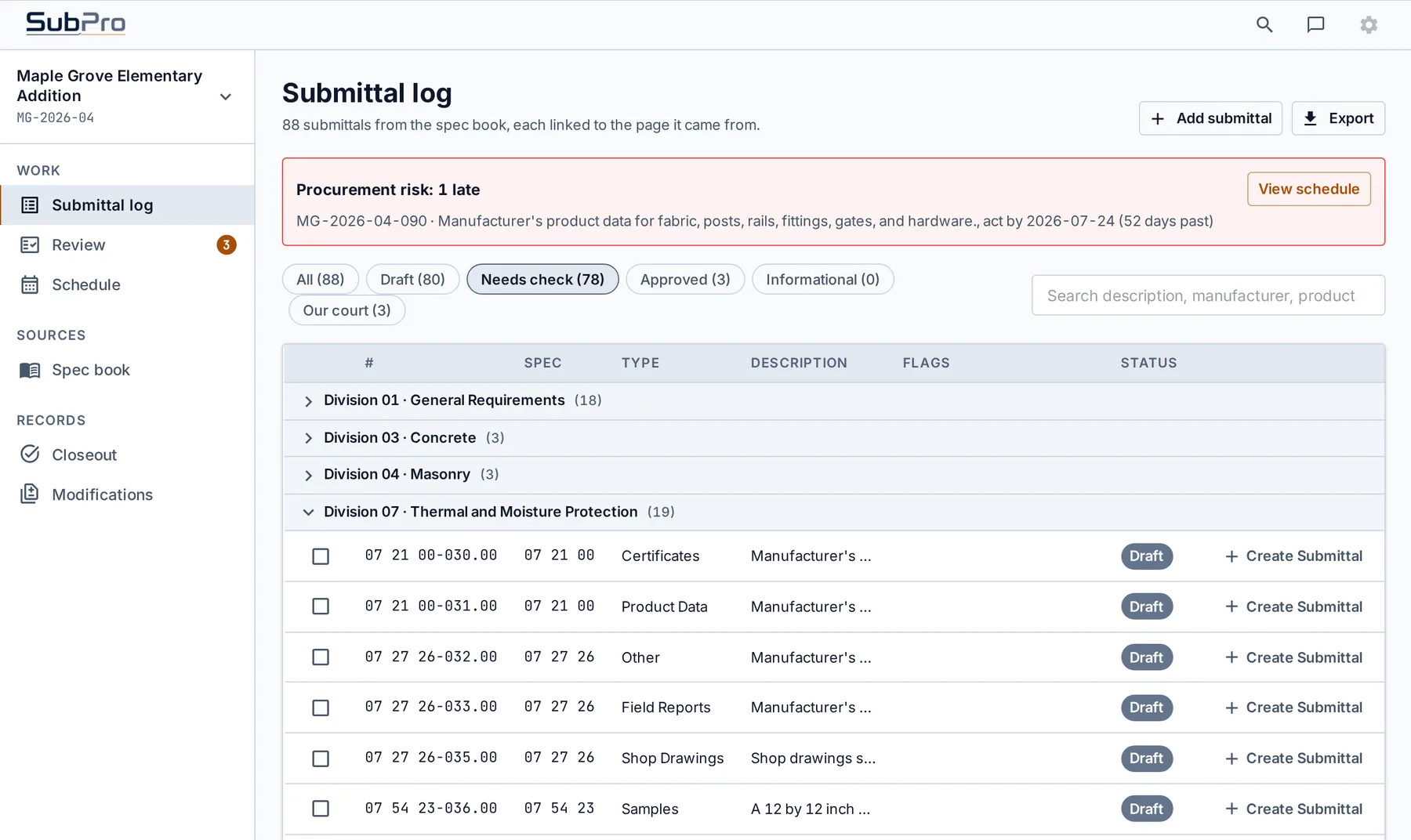
- Turn one spec book into a reviewable submittal log with source references.
- Assemble the package evidence and mark the rows that need a decision.
- Chat with the spec book to find buried requirements, then export clean to Excel or your internal handoff.
03 30 00 Concrete
07 92 00 Sealants
08 41 13 Entrances
Product data
SDS
Shop drawings
Concrete Mix Design High
Coating System Med
Panelboards Low
Ask the full spec book
Ask the submittal log
Find buried requirements
The output stays inspectable, source-linked, and ready for review.
Download example Excel logVague spec language, missing deliverables, and rows that need a PM or PE call stay flagged.
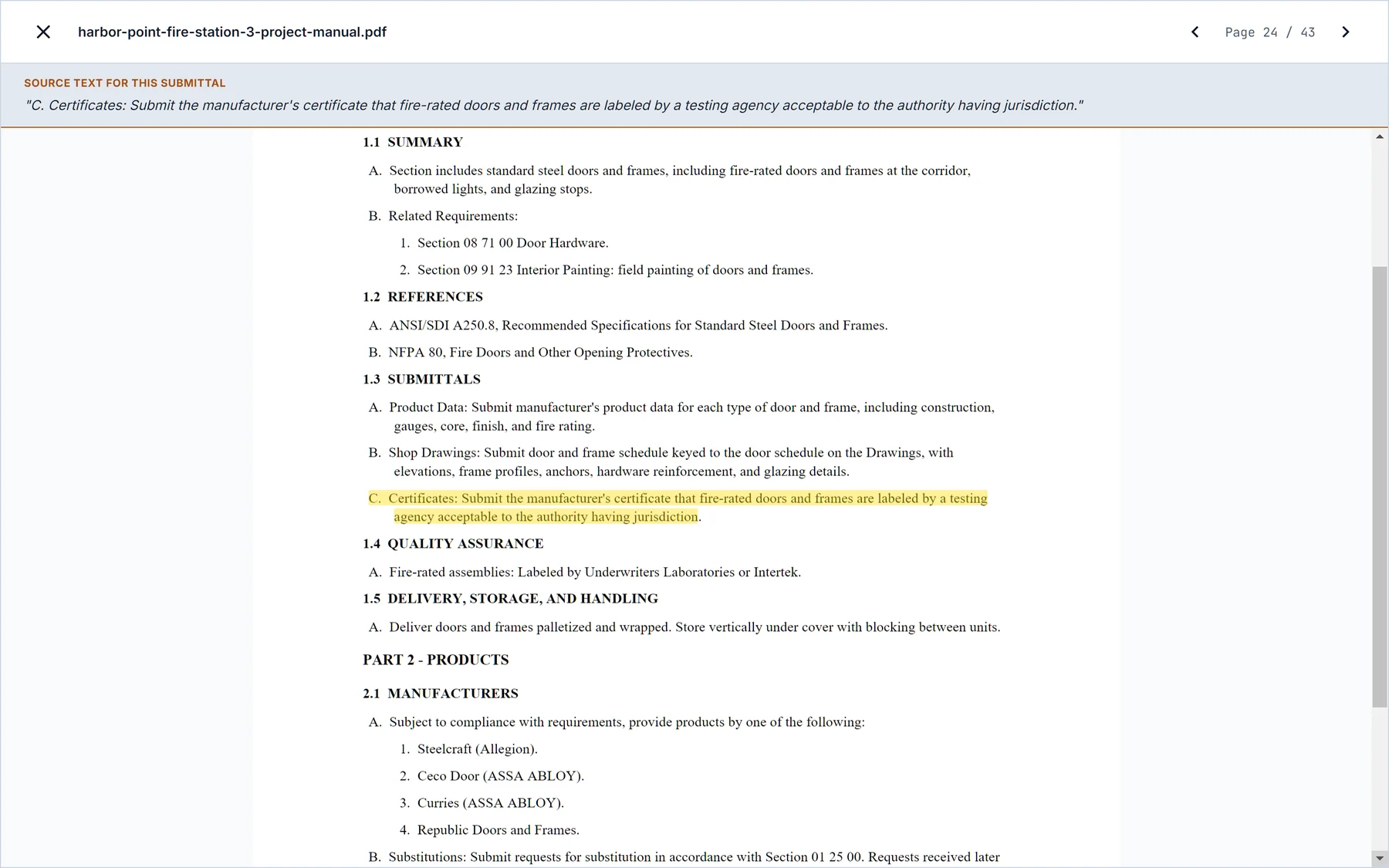
Every row keeps source page context so the package is easier to verify before handoff.
Product data, SDS, and shop drawing matches stay visible with anything uncertain marked for review.
The output stays editable so the team can clean it before Excel or its internal process.
See the work before you trust it.
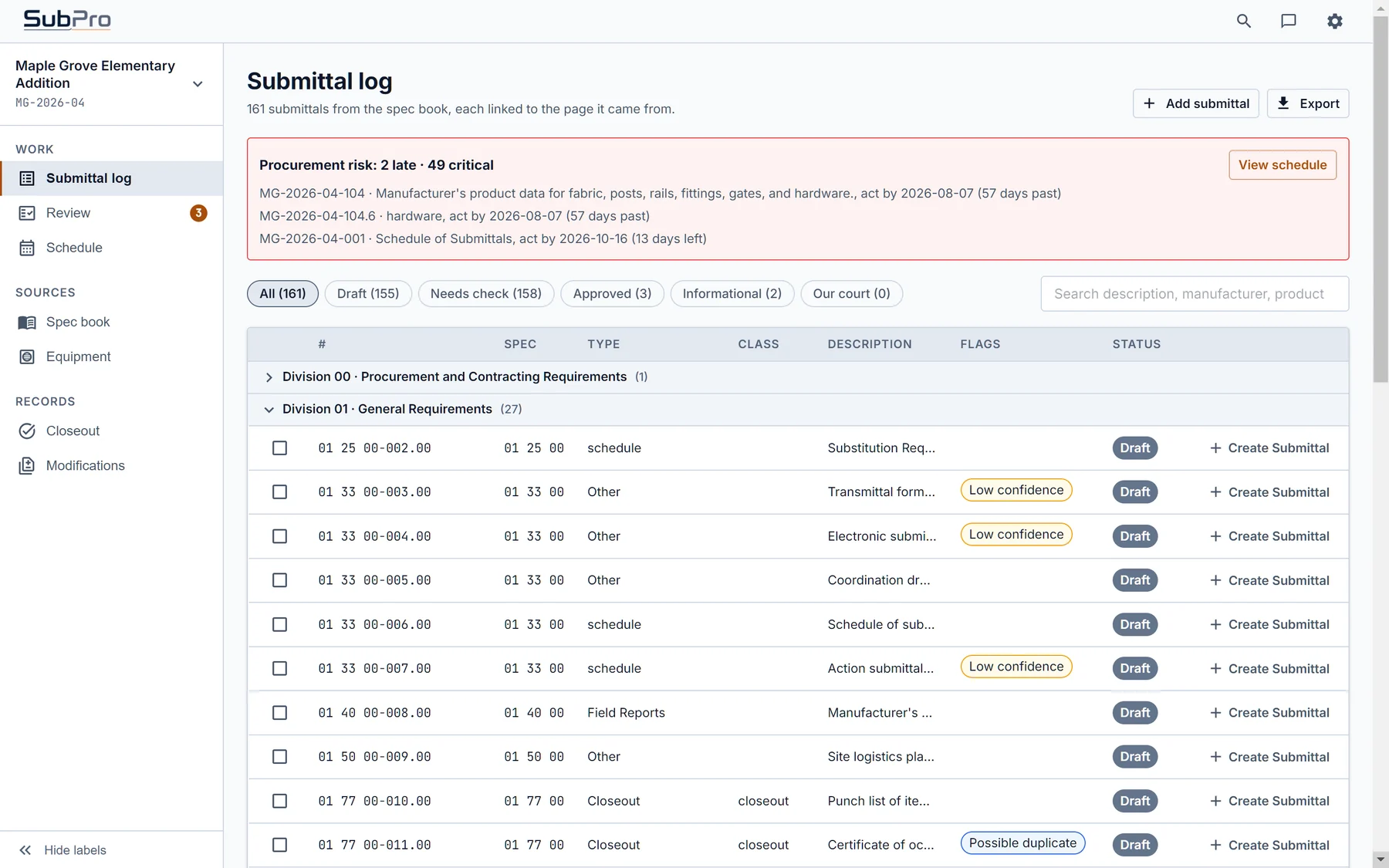
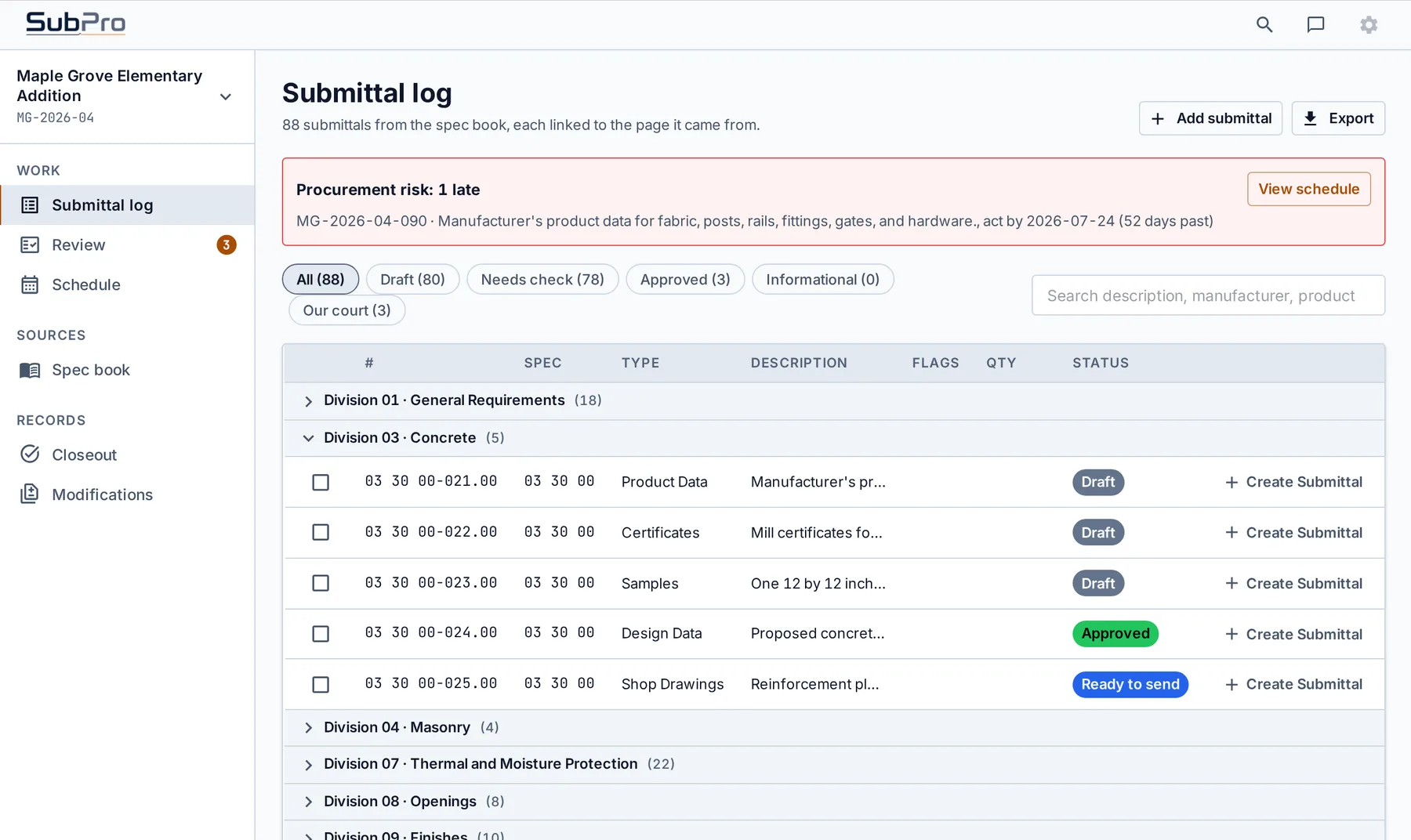
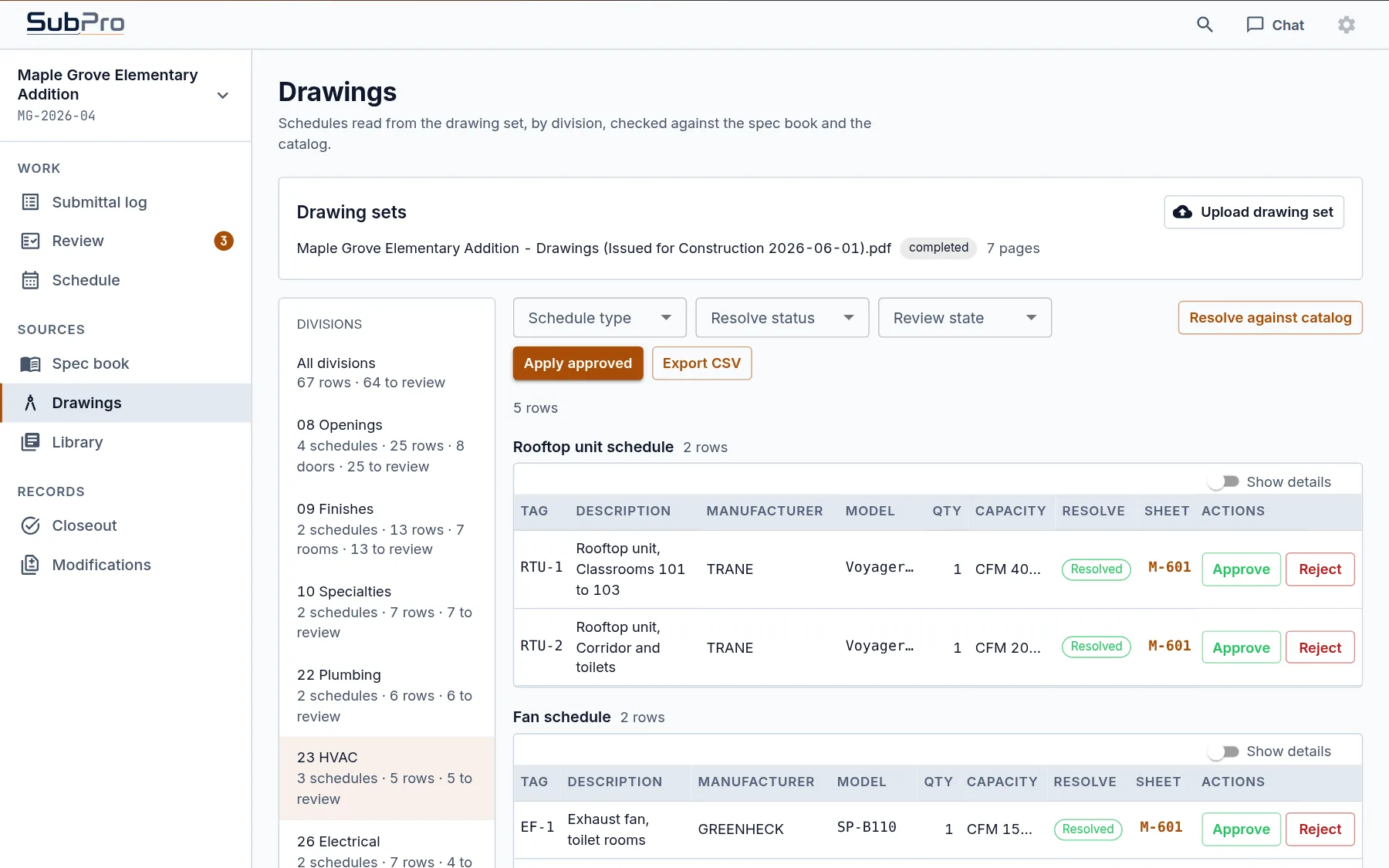
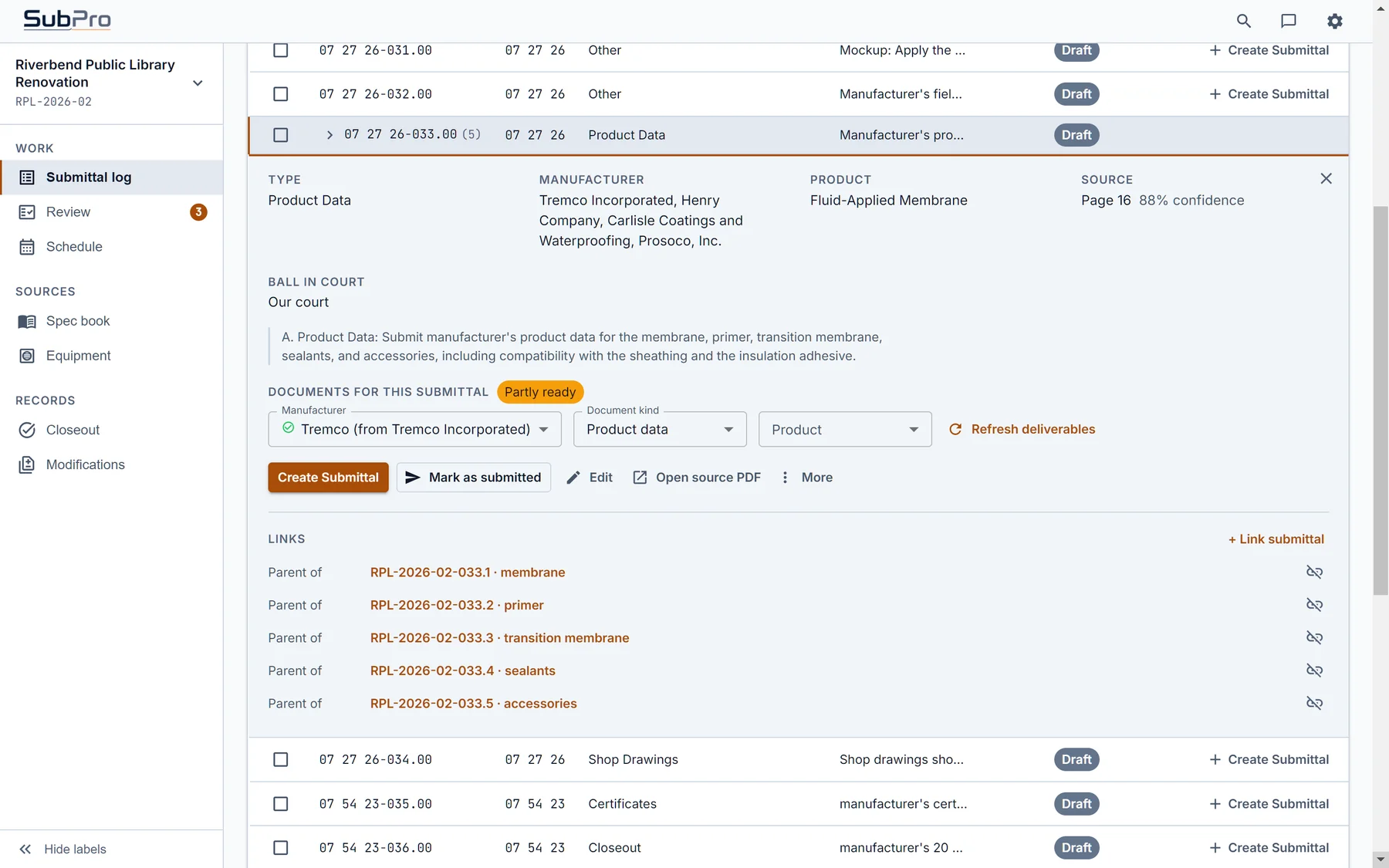
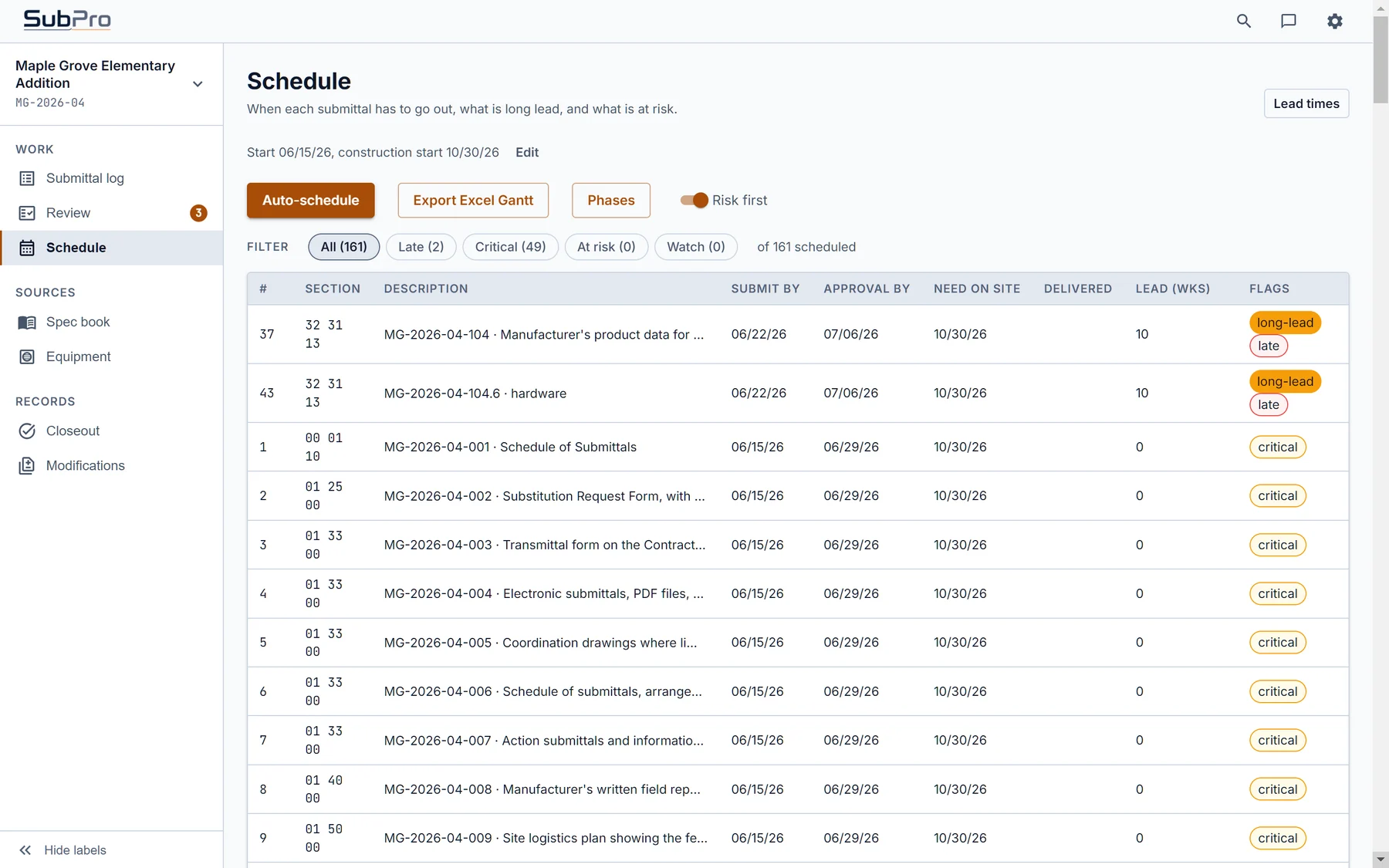
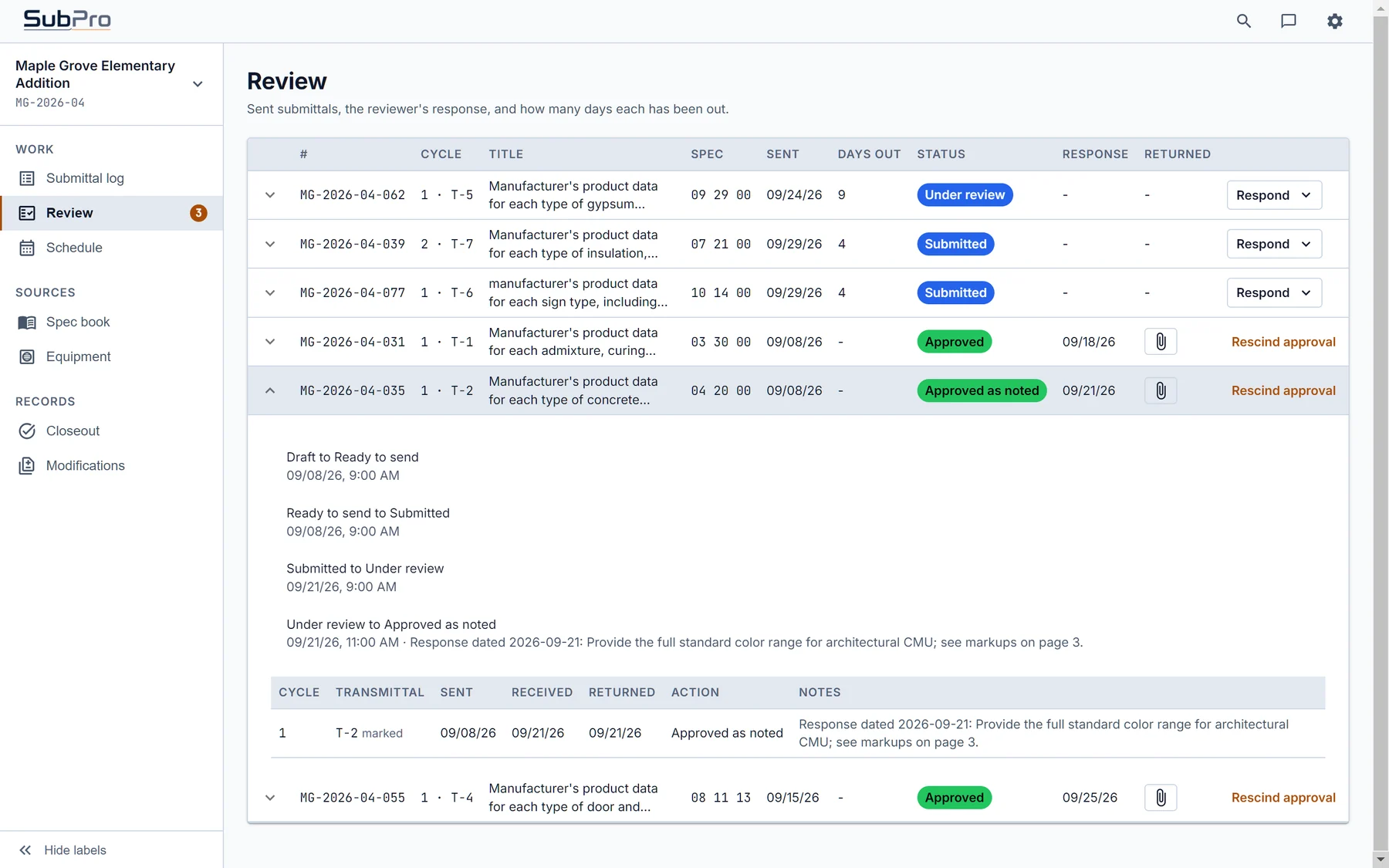
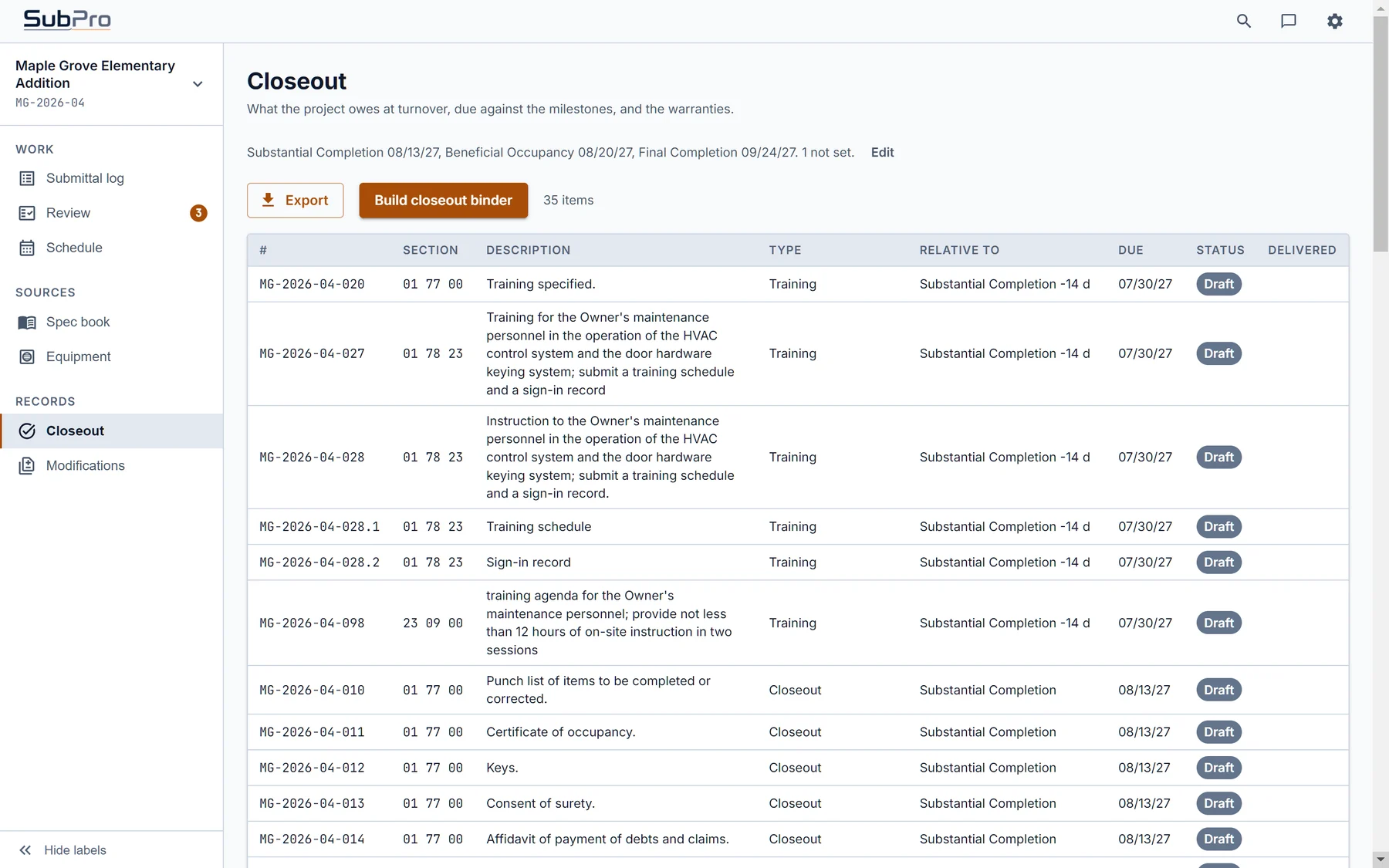
Sample-project screens show SubPro organizing draft rows, surfacing package matches, and preparing PDF package output your team can inspect before anything leaves the shop.
Requirements, likely product matches, and next actions are organized in one review view so your team can move faster without losing control.
Submittal packages are assembled into a clean review format, with transmittal details and supporting documentation kept together.
What makes SubPro different
Most tools stop at the list. SubPro is built for the work that comes after it: the documents, the proof, and the handoff.
Most tools generate the submittal list. Your team still hunts down the documents. SubPro pairs the log with package evidence so the handoff starts closer to review.
Every line traces back to source context and keeps review flags visible, so your team can verify quickly instead of trusting blindly.
Ask the full spec book for buried requirements or ask the submittal log about rows, flags, references, and package context.
Hands off to Excel, email, or your internal workflow. SubPro is not another platform to adopt.
Built for project documents that need control.
- SubPro does not store your spec PDFs as another document repository. The workflow is process-and-release: prepare the log, assemble packages, review the evidence, and release the handoff.
- Output stays in your local project folder or approved handoff location.
- Data-handling requirements are confirmed before real project work.
Specs / Project Specifications.pdf
SubPro Output / Submittal Log.xlsx
Audit Log.json
Process-and-release workflow confirmed before real project work.
Pilots are currently open.
We are talking with teams that want the spec-to-submittal grind off their desks. Bring the messy spec book. We will figure out together what the first pass needs to prove.
Reach out to schedule a call. We will talk through your workflow, spec volume, data-handling needs, and the right first sample.
Bring a spec-heavy workflow you want to improve. We can discuss the right sample, review process, and handoff expectations before project files are used.
Book a call or email pilots@sub-pro-ai.com. We will sort out whether your spec set is the right place to start.
Start with one ugly spec book.
Pilots are open. One call, one spec book, and we will both know whether this is a fit.
Build a cleaner log and assembled packages before the project team imports or manages them downstream.
Turn PDF spec review into package-ready submittals with clear review flags.
Cut document hunting, keep source and context notes, and review flagged rows before handoff.
Export an editable XLSX register and package set when the team needs it.
Frequently asked questions
Answers before you hand us a real spec. Short version: we build the log, assemble the packages, and hand off clean. Details below.
How is this different from other submittal tools?
They generate lists, route documents, or manage workflow. SubPro focuses on the handoff your team needs before downstream tools: a reviewable log, package evidence, clear flags, and a clean export.
What do I see before a pilot?
A call, then a sample build on one of your real specs. You get the drafted log, the assembled packages, the flagged rows, and a short review call to walk through it. Pilot specs have run from 200 pages to over 1,500.
What about my data?
We confirm data-handling requirements before real project files are used. Synthetic or anonymized material can be used first, and the workflow remains process-and-release rather than another document repository.
Is my spec book and project data safe with SubPro?
All user data, including spec books, is used only to build your SubPro output, then released and deleted after processing. SubPro does not retain user data, and user data is never used for AI training or any other use. Data is sent over encrypted HTTPS/TLS connections, and a mutual NDA is available before you send project files.
Go deeper.
Every part of the workflow has its own page, from the first log pass to the files that land in the handoff.
Submittal software
See how SubPro takes a project spec book and helps produce a draft submittal log, review notes, and handoff files your team can check.
What is a submittal log?
A plain-language guide to the log contractors use to track required submittals, responsible parties, dates, status, and notes.
Submittal log automation
How SubPro reads project specifications and drafts the first log so your team is not building every row by hand.
Construction submittal software
Where SubPro fits in the submittal process: before tracking, approvals, and closeout, when the log and package still need to be built.
Submittal review software
How SubPro shows source context, flags, and notes so a human reviewer can decide what is ready and what needs cleanup.
Submittal package software
How SubPro organizes supporting documents around each log item and prepares package files for review.
Construction transmittal software
How SubPro helps prepare the handoff materials that travel with a submittal package, including cover context and editable exports.
Submittal handoff output
A closer look at the files SubPro produces: PDF packages, XLSX schedules, XLSX logs, source context, and review notes.