PDF submittal packages
Packages come out as PDFs organized around the spec requirements, ready to open and review.

The document controller does not need another scavenger hunt. SubPro hands off PDF submittal packages plus an editable log and schedule in Excel, with every row carrying its source page and review flags.
The goal is a practical package your team can inspect, edit, and move forward. SubPro keeps the log, schedule, packages, and source context close together so review does not depend on memory, inbox archaeology, or scattered notes.
Packages come out as PDFs organized around the spec requirements, ready to open and review.
The schedule lands as an editable worksheet: what is due, when it needs to move, and who owns it.
The log export gives your PM, PE, or document control lead a working register they can review, mark up, and adapt to the rest of the project workflow.
SubPro does not turn construction judgment into an automatic send button. It prepares a cleaner handoff so the project team can verify the requirements before anything moves onward.
Rows point back to the relevant source context from the spec book so reviewers can check why an item was included.
Items that need a decision stay visible, including entries that may need product confirmation, package review, or project team judgment.
The Excel files stay ordinary spreadsheets, so your team can clean them up, mark them up, and feed them into whatever process the company already runs.
These sample package views show SubPro organizing transmittal details, product documentation, and PDF package context for review before handoff.
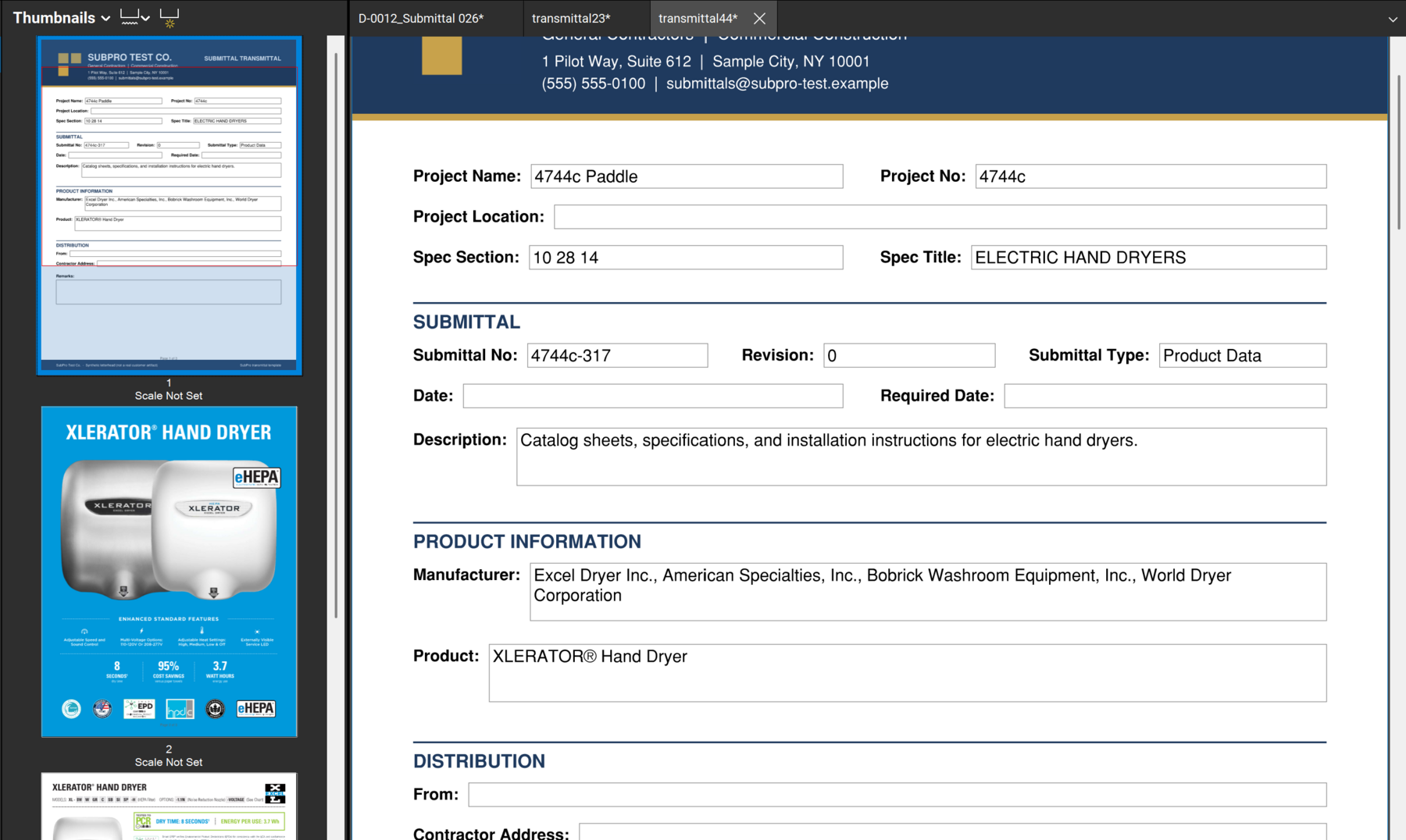
Package front matter is organized around project details, spec section, submittal type, dates, and distribution fields.
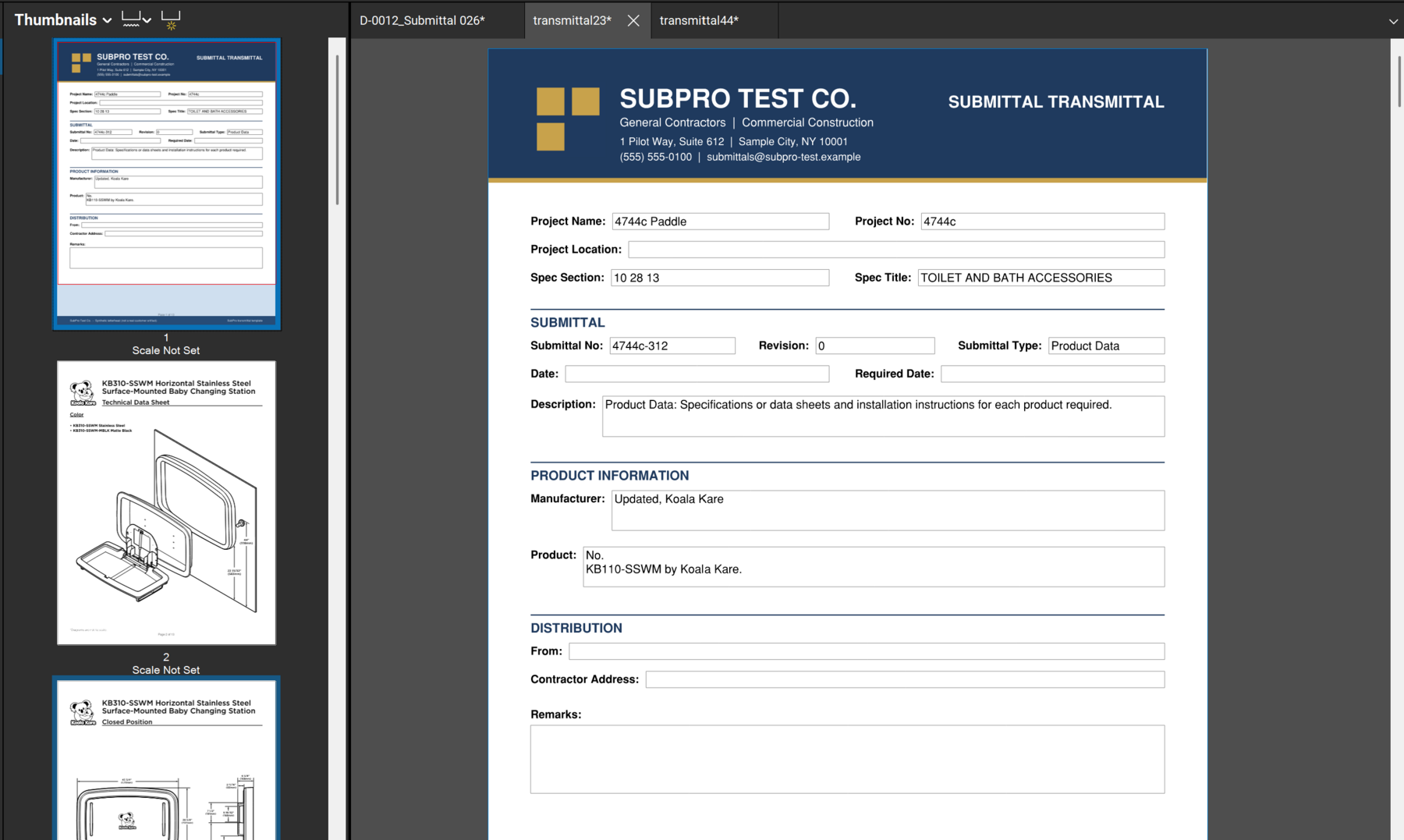
Product pages sit behind the transmittal, so the reviewer sees the whole package in one PDF.
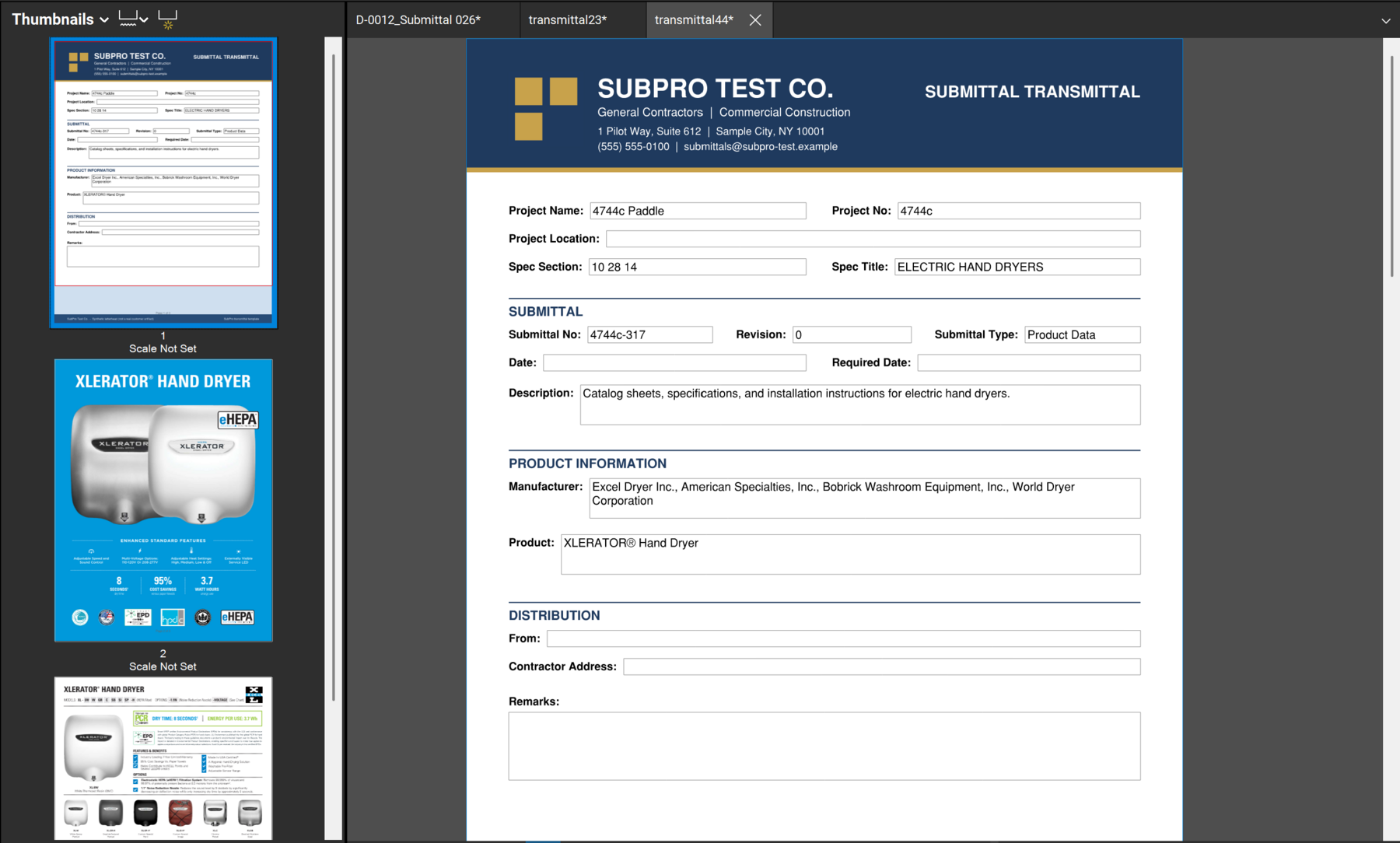
The output is prepared for review, with compliance decisions and final use still controlled by your project team.
Take Section 22 00 00 Plumbing. Here is what lands in each deliverable for that section.
Rows for pipe, fixtures, valves, and water heater product data, each with its 22-section reference and source page.
The same items organized for timing, so long-lead fixtures surface before they hold up the job.
Product data and safety data sheets assembled behind a cover for the plumbing submittals that are ready.
Any fixture allowing a substitution stays flagged, so the team decides before the set is sent.
The handoff can include PDF submittal packages, a submittal schedule XLSX, and a submittal log XLSX, along with source page context and review flags. Exact deliverables are confirmed before work begins.
The log XLSX is the working register of submittal obligations, one row per requirement with source context and status. The schedule XLSX organizes those items for timing and planning. The log answers what is required, the schedule answers when it needs to move.
Your team reviews requirements, package fit, substitutions, compliance, final schedule decisions, and anything flagged before handoff. SubPro prepares the files, the team confirms them.
The work starts from the project specifications and project manuals, then uses available package evidence and your team's review expectations to shape the handoff files.
How the files in the handoff get built, step by step.
How SubPro turns a first pass into a reviewable draft with source context.
Where SubPro fits before tracking and approval workflows start.
How source checks and human review stay in the workflow.