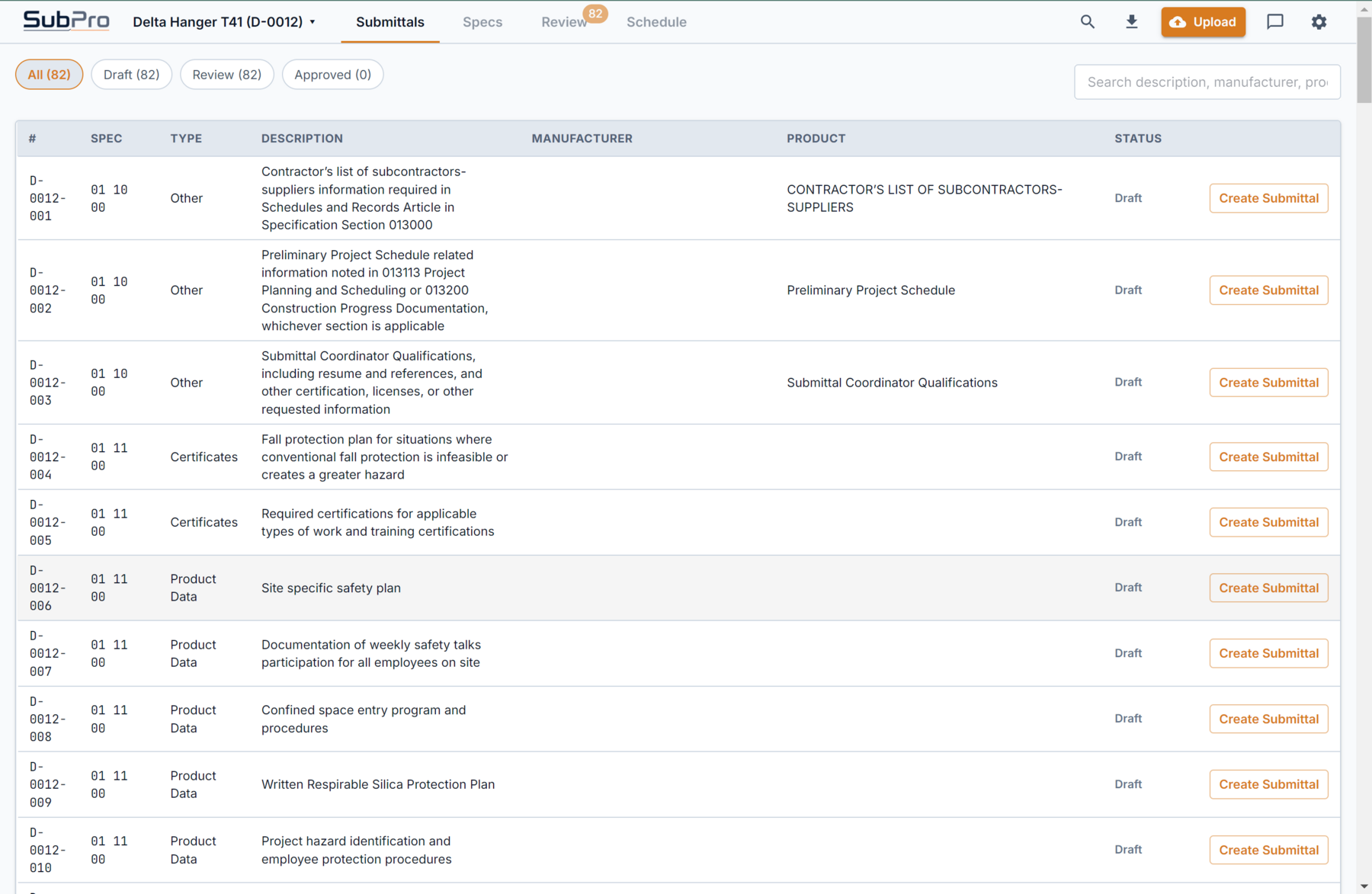
Practical log view
Rows are arranged so the team can review requirements, responsible sections, and status without starting from a blank spreadsheet.

SubPro turns a project spec book into a first draft your team can check: every row cites its spec page, the rows that need a decision are flagged, and it all exports as an editable Excel file.
The first pass shows up as draft rows with their matched documents and clear next actions, ready to inspect before export.
Rows are arranged so the team can review requirements, responsible sections, and status without starting from a blank spreadsheet.
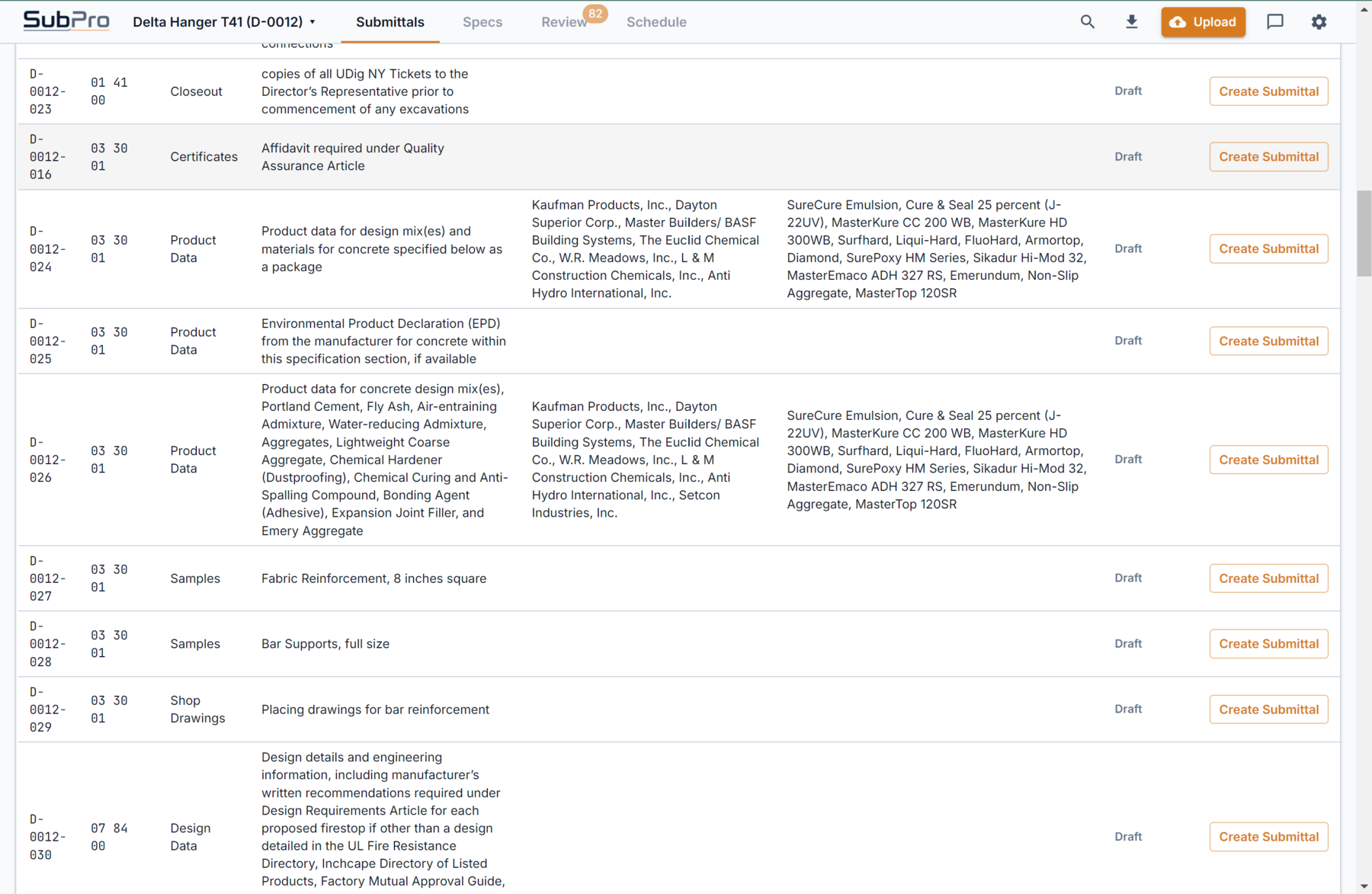
Available supporting document matches appear beside the row, making package review part of the same workflow.
The first draft is where the day usually disappears: rows, page numbers, responsible sections, and the nagging sense that Division 07 hid something nasty. SubPro builds a practical first pass that shows what the spec requires, where it came from, and which rows deserve a closer look before handoff.
The requirements arrive as a working draft, grouped by section, so your team reviews a list instead of building one.
When someone asks why a row is there, the answer is the spec page attached to it, not another hunt through the manual.
Review it, clean it up, and export it to Excel. Your tracker gets a finished starting set instead of an empty register.
The value of submittal log software is not a pretty dashboard. It is what you can hand the next person. SubPro exports a standard editable XLSX log with one row per submittal requirement, each carrying its CSI section, submittal type, responsible party, the source specification page, review status, and notes.
Because it is an ordinary spreadsheet and not a locked format, your team can sort it by section, filter to one trade, add or delete rows, and paste it straight into whatever tracker you already run. The draft removes the blank-sheet grind. Your team keeps full control of the final log.
Every row keeps its source page reference, so when a reviewer questions a line, the answer is one click away instead of a hunt back through the manual. That is the difference between a list you trust and a list you re-check by hand.
Take Section 08 71 00 Door Hardware, a section that carries a long submittals list. Here is how it lands in the draft log.
A row for the required hardware schedule submittal, tagged with the 08 71 00 section and the spec page behind it.
Separate rows for the specified hinges, closers, locksets, and exit devices, so each product line can be reviewed on its own.
A row flagged as an owner decision, because keying is coordinated with the owner rather than picked from a catalog.
All the 08 71 00 rows drop into the editable XLSX alongside every other section, ready to sort, filter, and hand off.
It should identify submittal requirements from the specifications, keep source page context close, flag items that need review, and prepare an editable log for handoff, so the tracker starts from a real draft instead of a blank sheet.
An editable XLSX log with a row per requirement, carrying the CSI section, submittal type, responsible party, source specification page, review status, and notes. Being a standard spreadsheet, your team can sort, filter, and paste it into an existing tracker.
Yes. The draft is a starting point, not a locked output. Your team edits rows, adds or removes requirements, and owns the final log. SubPro removes the blank-sheet grind, it does not make the decisions.
No. SubPro prepares a reviewable starting point. The project team still verifies requirements, responsibility, substitutions, and final package decisions before anything moves forward.
From the draft log to the register, the AI behind it, and the files you get at the end.
How SubPro reduces the manual spec-to-log first pass.
How source-backed register prep keeps evidence visible.
What files and review context the team receives.