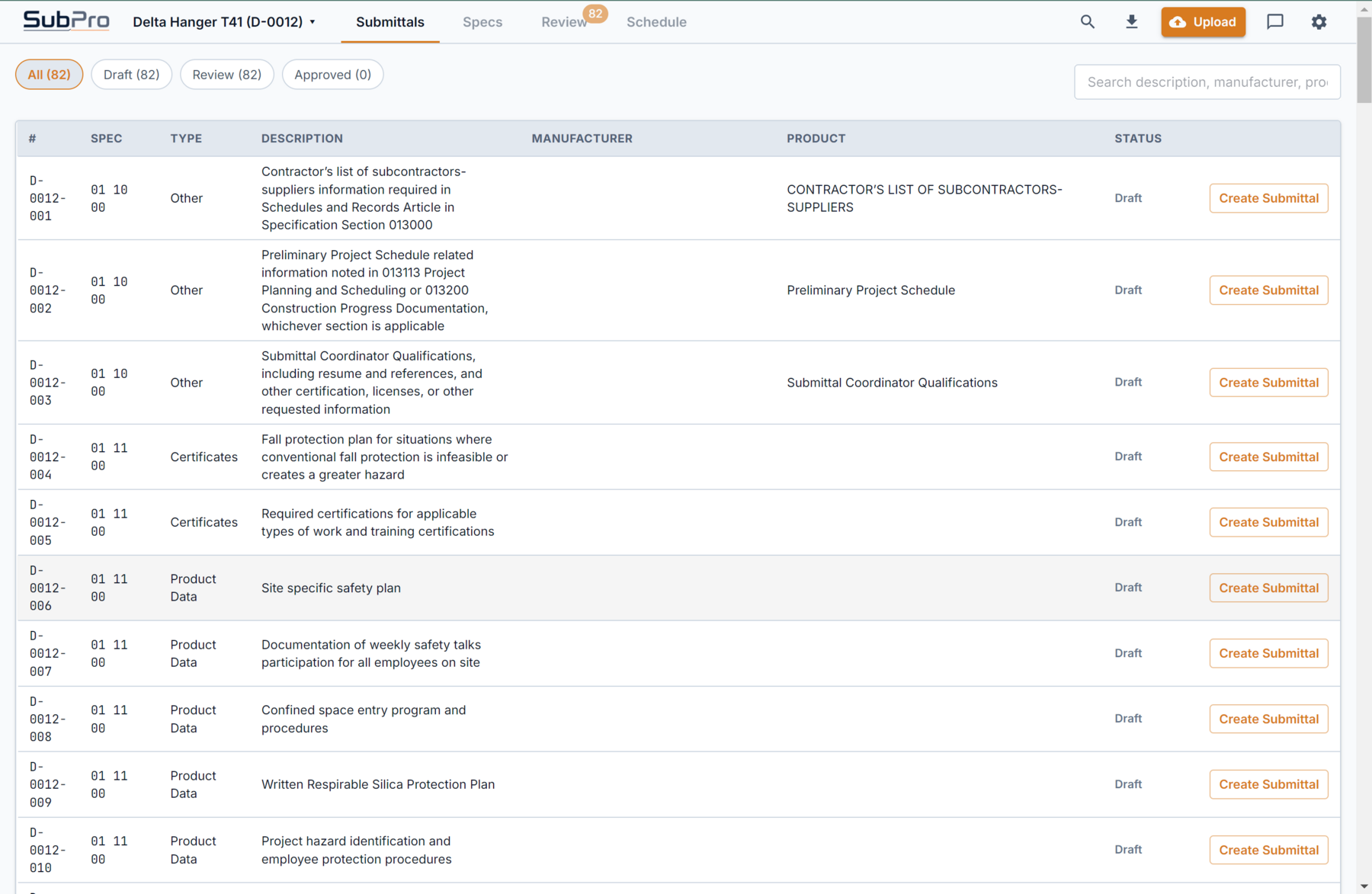
Organized draft rows
Requirements land grouped and readable, so your PM or PE starts from a real draft instead of a blank sheet.

Manual log assembly should not start with a blank spreadsheet and a 900-page spec book. SubPro builds the first pass, keeps source context close, and flags rows your PM or PE should review before handoff.
The draft arrives organized by section, each row with its source page and any matched package documents, ready for a reviewer.
Requirements land grouped and readable, so your PM or PE starts from a real draft instead of a blank sheet.
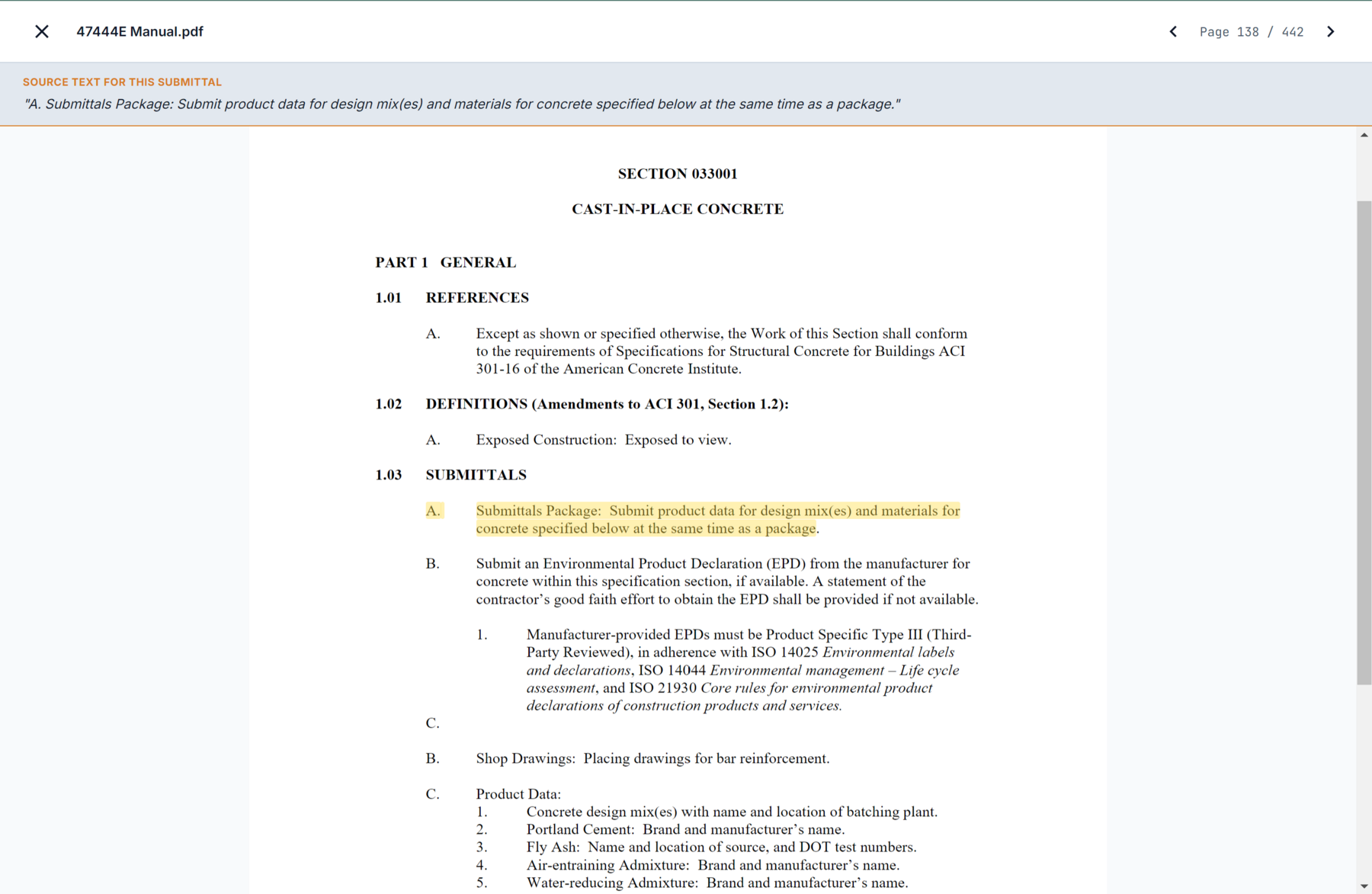
Reviewers can open the supporting page context and confirm why a requirement belongs in the log.
Project teams read spec sections, copy requirements, argue over what belongs in the log, and then hunt for the page again when someone asks why a row is there. Nobody needs a spreadsheet campfire story. SubPro gives the team a cleaner first draft with the review context kept close.
The draft comes grouped and readable, so a PM or PE can settle ownership and next steps without rebuilding the list first.
Each line points back to the relevant spec page, so the reviewer can verify the requirement quickly instead of searching through the book again.
The output is built for review, markup, and cleanup in an editable XLSX register before it moves into the rest of your submittal workflow.
Automation here does not mean guessing. SubPro works through the specifications one section at a time, finds the submittals article inside each one, and turns each required item into a draft log row. Every row keeps a reference back to the page it came from, so the requirement can be confirmed rather than trusted blind.
That is the before-and-after. Before, a project engineer reads all of Division 03 through 33 and types rows until the day is gone. After, the rows already exist, grouped by section, with the source page attached, and the engineer spends the time reviewing instead of transcribing. The grind moves off the person and onto the tool, and the judgment stays with the person.
The first pass is built to be checked, not shipped blind. Specifications vary, so review flags mark the rows that most need a human look, and nothing is promised as perfect extraction.
Take Section 03 30 00 Cast-in-Place Concrete, one of the heaviest submittal sections on most jobs. SubPro drafts it like this.
A row for each required concrete mix design submittal, tied to the 03 30 00 reference and the spec page that calls for it.
Rows for rebar shop drawings and product data, kept separate so the reviewer can track each on its own.
Rows for the required material certifications and test reports, flagged so they are chased on schedule.
The full 03 30 00 set arrives as draft rows with source pages, so the PE reviews and adjusts instead of building the section from scratch.
It means a tool reads the spec book and drafts the log so nobody types every row by hand. SubPro adds the source page behind each row and flags the ones that need a decision, so the time saved does not cost you trust in the list.
SubPro works through the specifications section by section, finds the submittals article in each one, and drafts a log row for every required item, keeping a reference back to the page it came from.
SubPro produces a strong reviewable draft, not a guaranteed final log. Specifications vary in quality, so the first pass is built to be checked. Source references and review flags make that check fast, and the team confirms requirements before handoff.
No. SubPro prepares the log and review context so the project team can verify requirements before handoff. The judgment stays with the team.
The neighboring pieces of the workflow, each with its own page.
How SubPro turns a first pass into a reviewable draft with source context.
Where SubPro fits before tracking and approval workflows start.
How source checks and human review stay in the workflow.