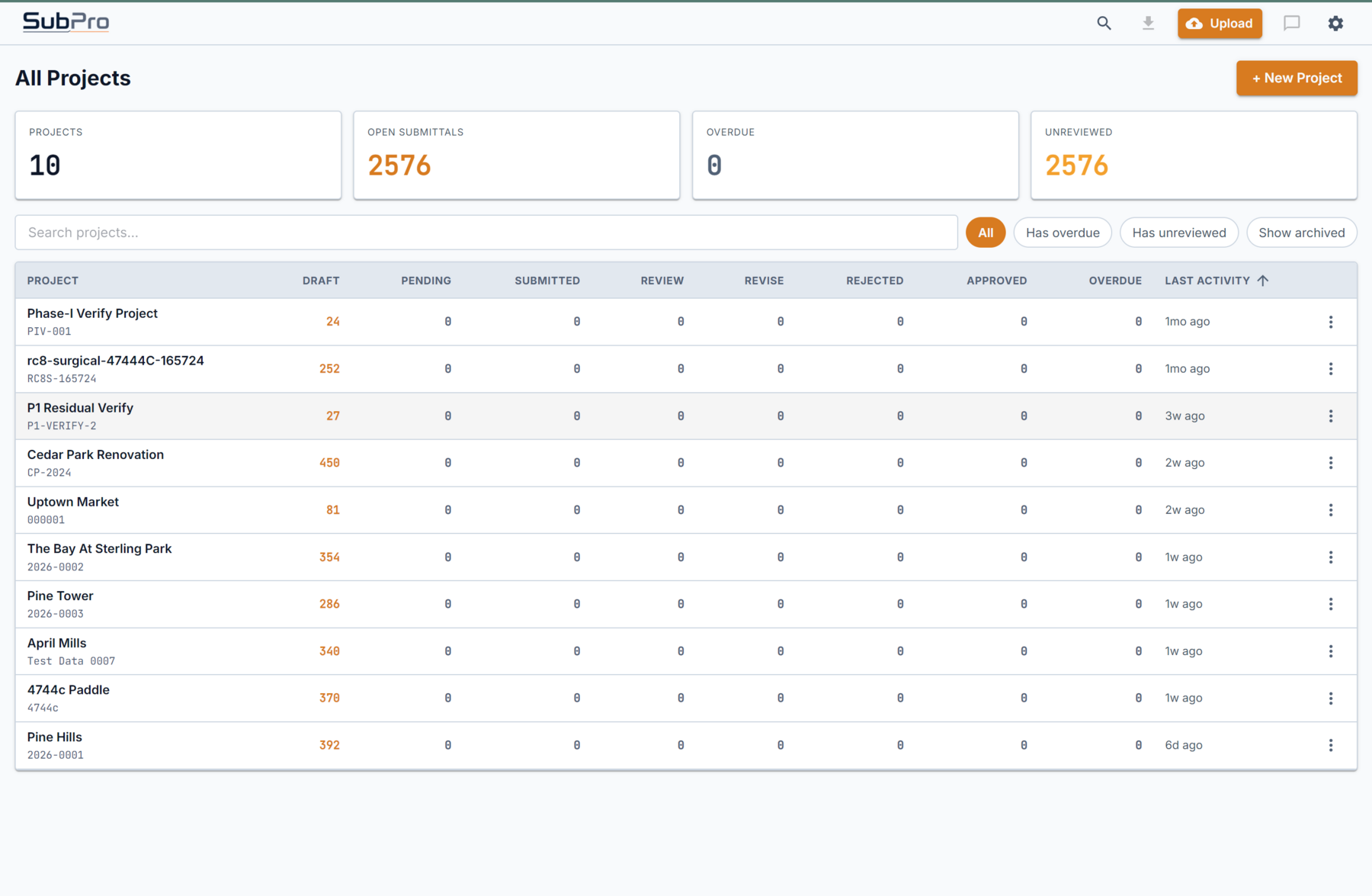
Project-level view
See project status, row counts, package activity, and review progress from the same workflow.

SubPro handles the work that happens before tracking: it reads the spec book, drafts the log, gathers the package evidence, and exports files your team can actually review.
One place shows the project, its rows, the matched documents, and the pages behind them, instead of five disconnected files.
See project status, row counts, package activity, and review progress from the same workflow.
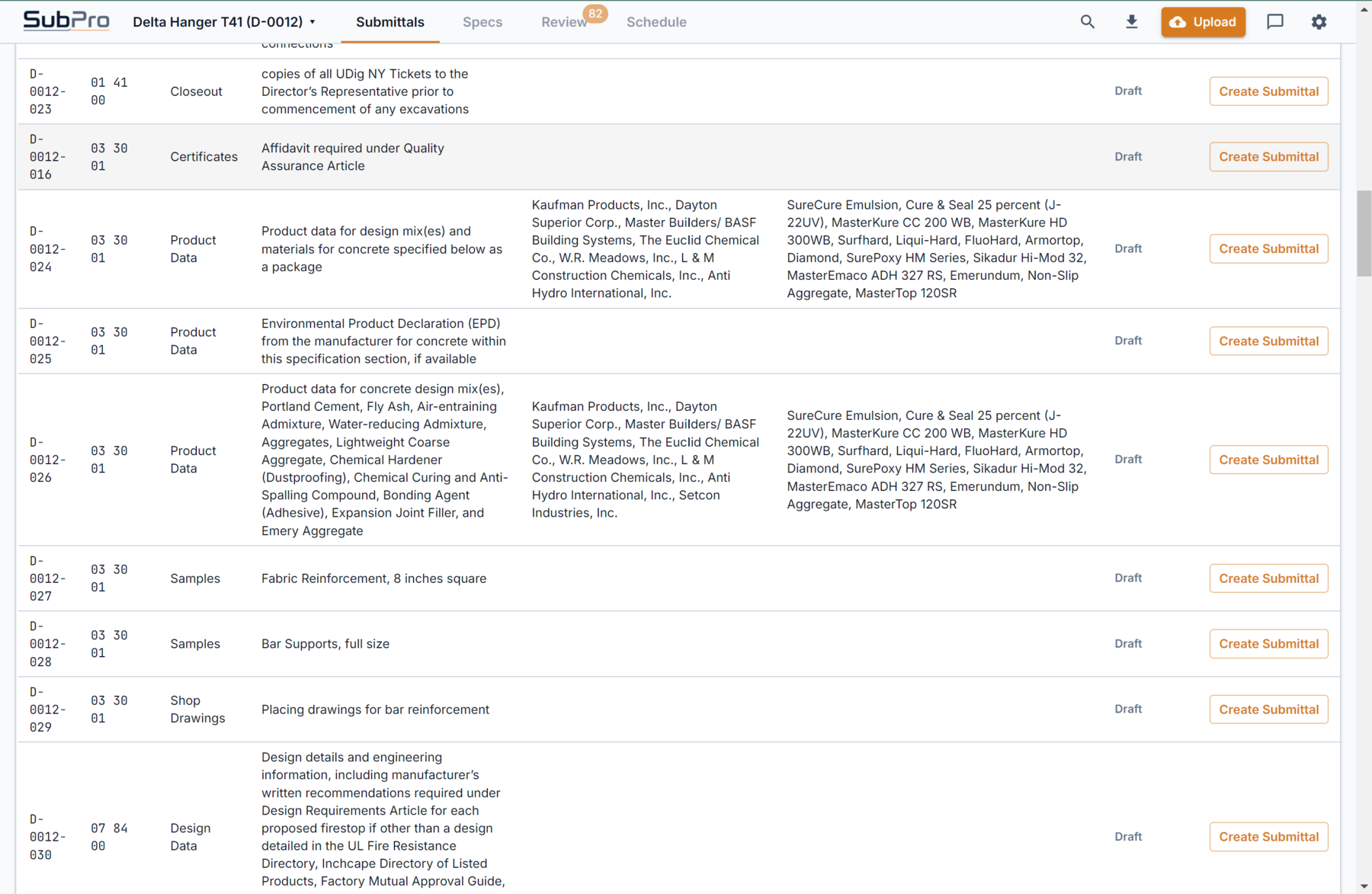
Rows can be reviewed with available product data, source notes, and package context nearby.
On most commercial projects, the specifications run hundreds of pages across dozens of CSI sections, and buried in each section is a submittals article that lists what the contractor has to provide before work can proceed. Product data. Shop drawings. Samples. Test reports. Safety data sheets. Certifications. None of it is hard on its own, but finding every requirement, tying it to the right product, and getting it into a log without missing anything is slow, detail-heavy work.
The person doing that work is usually a project engineer or a submittal coordinator reading the manual line by line, opening the spreadsheet, and typing rows. It is the kind of task where one skipped paragraph on page 214 becomes a missed submittal that surfaces weeks later, after the material is already on order. The cost is not just the hours. It is the risk that something slipped before anyone had a chance to review it.
Submittal software should take on that first pass. Not the judgment, not the approvals, but the reading, drafting, and evidence-gathering that has to happen before a reviewer can even start. That is the part SubPro is built for.
SubPro connects the whole preparation stage so the log, the source context, the package evidence, and the export are one workflow instead of five disconnected files. Each step below has a focused page if you want the detail.
SubPro works through the project specifications and drafts the first submittal log rows, so your team is not building every line by hand.
The draft log carries source page references and structure your team can inspect and edit, then export to XLSX.
Source context and review flags stay attached to each row, so a PE or PM decides what is ready and what needs cleanup.
Where product data is available, SubPro pulls together the supporting evidence for a submittal package instead of a bare list.
Export editable logs, schedules, and PDF package support with transmittal context for the tools your team already uses.
See exactly which files you get, PDF packages plus XLSX logs and schedules, and how they are structured.
Take Section 07 92 00 Joint Sealants, a section that shows up on almost every commercial job. Here is how SubPro handles it from spec text to handoff.
SubPro reads the 07 92 00 submittals article and picks up the required items: product data for each sealant, color samples, applicator qualifications, and safety data sheets.
Each requirement becomes a draft log row with its CSI number, item type, and a reference back to the spec page it came from, so nothing is floating without a source.
The color sample row is flagged as a decision the team owns, because the architect selects from the manufacturer's range. SubPro surfaces it instead of burying it.
Where the sealant product data and SDS are available, SubPro gathers them so the package for that section is not an empty checklist.
The 07 92 00 rows export into the editable XLSX log alongside every other section, with PDF package support ready, so a reviewer can check the whole set in one place.
Many teams already have places to route, stamp, and track approvals. The harder starting point is turning a project manual into a reviewable set of submittal obligations and package files. SubPro owns that preparation stage and hands off cleanly to whatever your team uses for tracking and closeout.
Turn the project specifications into draft rows that a PM, PE, or document control lead can inspect.
Keep source page context and review flags visible so decision points do not disappear inside the spreadsheet.
Move forward with editable XLSX output and PDF package support where the available evidence is ready.
Submittal software helps a construction team manage the submittals a project's specifications require. SubPro focuses on the preparation stage: it reads the spec book, drafts a reviewable submittal log, keeps the source page context visible, assembles package evidence where it is available, and exports editable files your team can check.
Tracking tools route, stamp, and log approvals once submittals exist. SubPro does the work before that step: turning the specification manual into the first reviewable log and package set. Many teams use both, with SubPro handling preparation and their existing system handling approval tracking.
No. SubPro prepares a reviewable first pass with source context and review flags. A person on your team reviews the draft and decides what is ready before anything is submitted or approved. Human review stays in the loop.
General contractors, specialty contractors, document controllers, and PM teams that need a better first pass from spec book to handoff on spec-heavy commercial work.
Start broad here, then open the page closest to your question.
Where SubPro fits before tracking and approval workflows start.
How SubPro turns a first pass into a reviewable draft with source context.
How product data and package evidence fit the handoff.