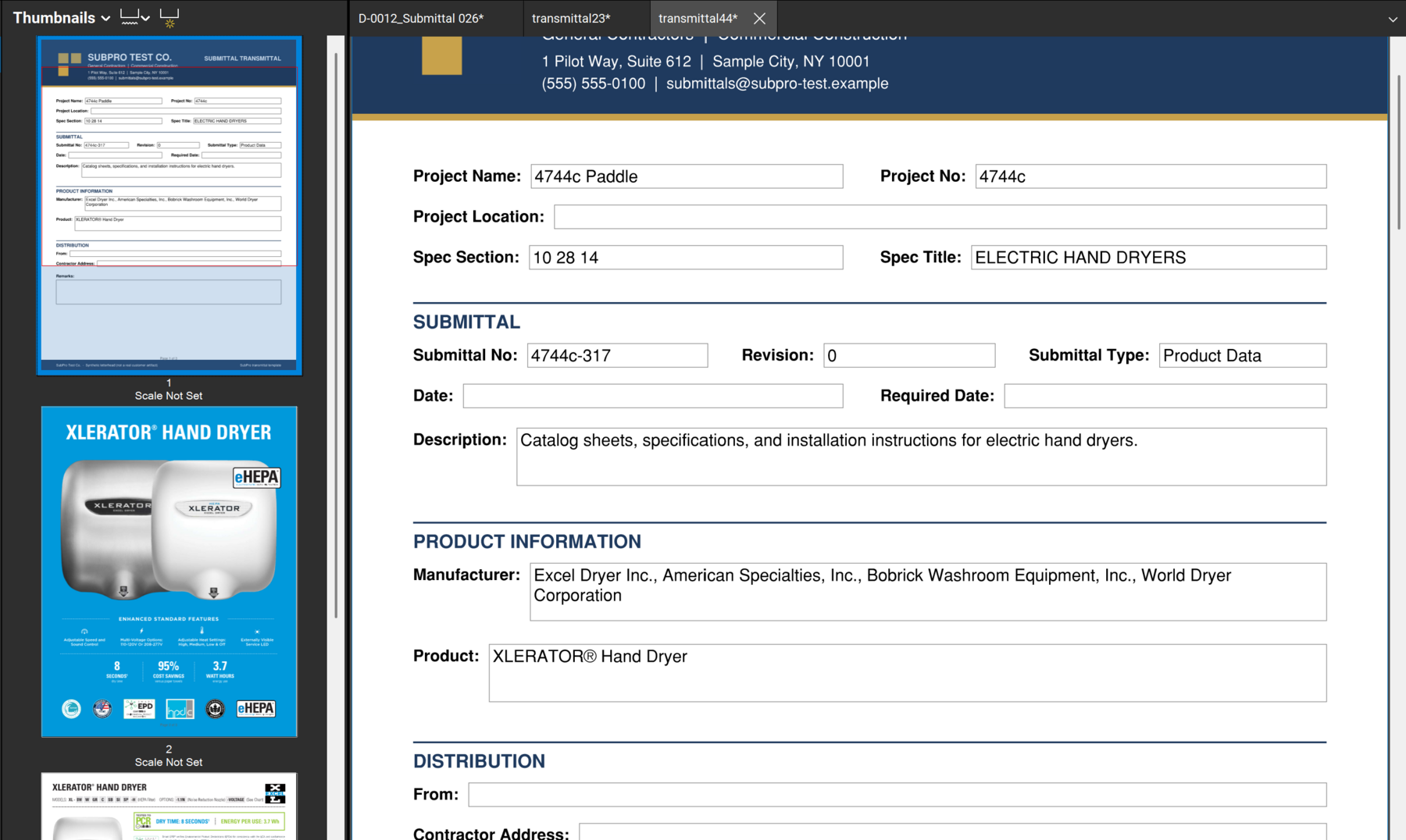
Transmittal cover
The cover states the package, the project, and the handoff details a reviewer needs first.

SubPro supports the transmittal cover and handoff files that sit downstream of a reviewable submittal log: PDF packages, editable XLSX output, source context, and notes for the next reviewer.
The transmittal should make package context easier to inspect, not hide the work behind a cover sheet.
The cover states the package, the project, and the handoff details a reviewer needs first.
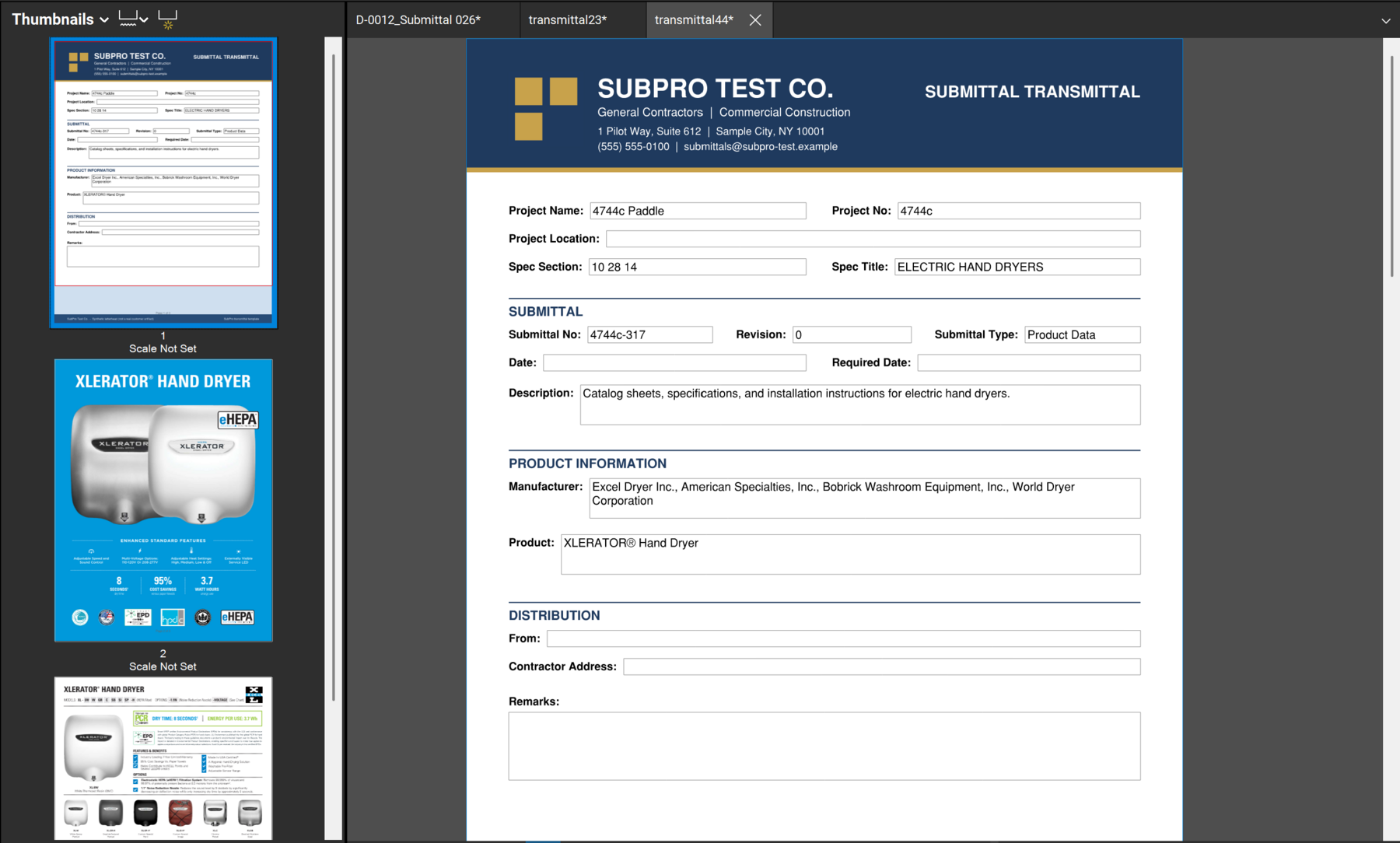
The cover, product pages, and package structure stay together for review.
A clean handoff answers three questions: what is being sent, why it matters, and what the reviewer should check next.
Packages export as PDFs with the cover in front and the supporting pages behind it.
Logs and schedules stay editable Excel files, with the package trail intact.
Flags and source pages travel with the handoff, so the next reviewer knows exactly what needs attention.
People use the words together, but they are not the same thing. A submittal is what the contractor provides for review: the product data, the shop drawing, the sample. A transmittal is the cover that formally sends it, identifying the project, the enclosed items, and the handoff details. One is the content, the other is the record around it.
A clean handoff needs both to agree. A transmittal cover that lists items the package does not actually contain, or a package with no cover context, creates exactly the confusion the transmittal is supposed to prevent. SubPro connects the cover to the package evidence, the submittal log, and the source context so the set is traceable end to end.
The output is meant to be worked with, not locked. The log and schedule export as editable XLSX and the package assembles as PDF, so your team adjusts the cover, edits rows, and finalizes the handoff in the tools it already uses.
Take Section 08 80 00 Glazing. Here is how the transmittal and package come together.
Glass and glazing product data and test reports are assembled behind the package for the 08 80 00 rows.
The transmittal cover identifies the project, the glazing items enclosed, and the handoff details for the reviewer.
The cover, package pages, and log rows stay connected, so what the cover lists is what the package contains.
The team exports the PDF package and editable XLSX, reviews the set, and sends the transmittal.
A submittal is the product data, shop drawing, or sample a contractor provides for review. A transmittal is the cover that formally sends it, identifying the project, the items enclosed, and the handoff details. The submittal is the content, the transmittal is the delivery record around it.
SubPro connects the transmittal cover to the package evidence, the submittal log, and the source context, then produces PDF package output and editable XLSX files, so the handoff is a traceable set rather than a loose folder of PDFs.
Yes. The log and schedule export as editable XLSX and the package assembles as PDF, so your team can adjust the cover, edit rows, and finalize the handoff in the tools you already use.
The project team should review the package content, source context, product fit, reviewer notes, and any flagged rows before it goes out. SubPro prepares the handoff, the team confirms it.
These pages explain the package and software workflow that feed the transmittal.
How product data and package evidence fit the handoff.
PDF packages, schedule XLSX, log XLSX, and review context.
Where SubPro fits before tracking and approval workflows start.