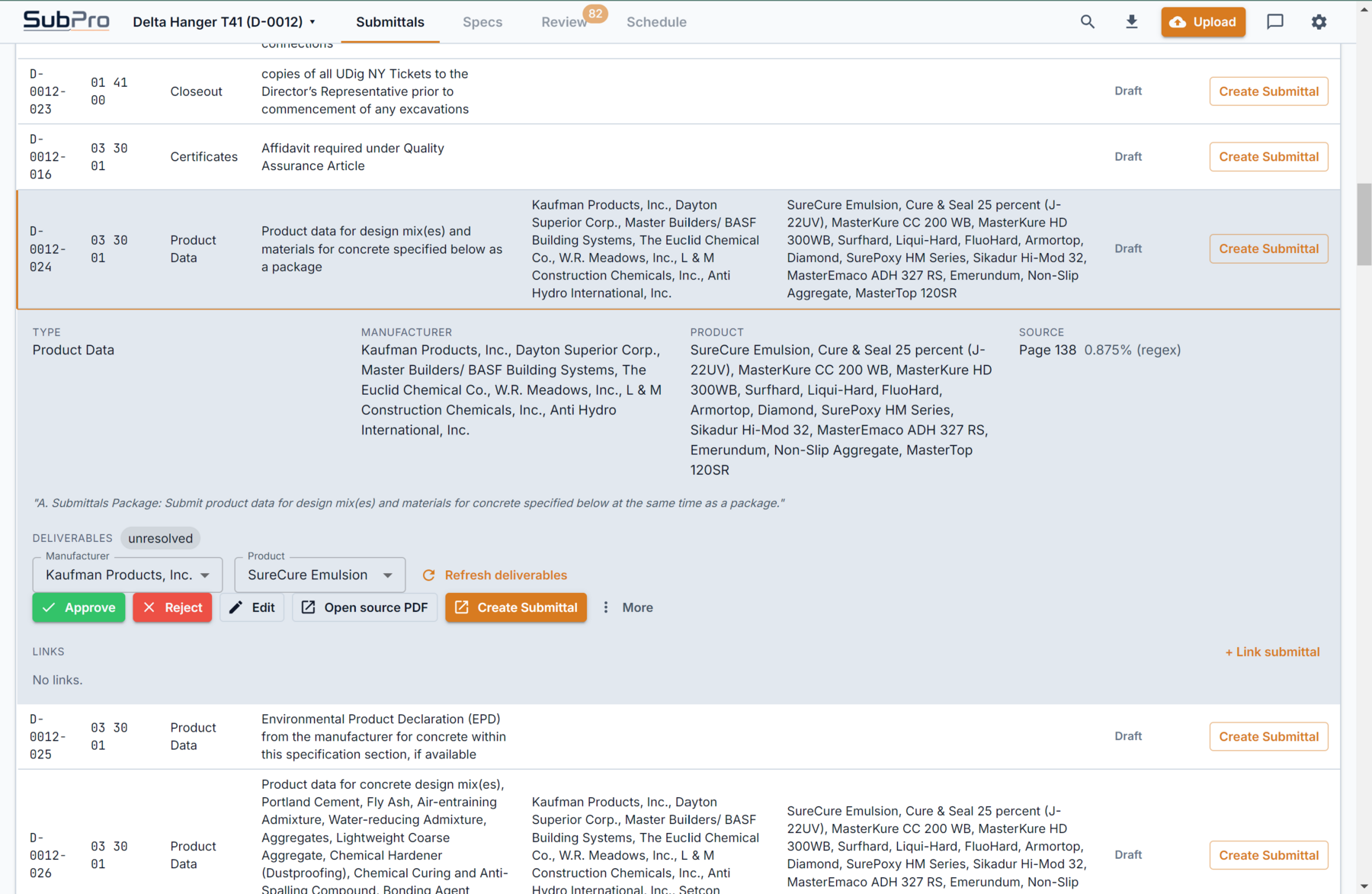
Row detail
Inspect the row, notes, and related evidence before approving it for handoff.

SubPro keeps review flags and source checks close to the row being reviewed, so project teams can decide what is ready, what needs cleanup, and what should move into the handoff.
Instead of separating rows, source pages, and package evidence, SubPro keeps them close enough for practical review.
Inspect the row, notes, and related evidence before approving it for handoff.
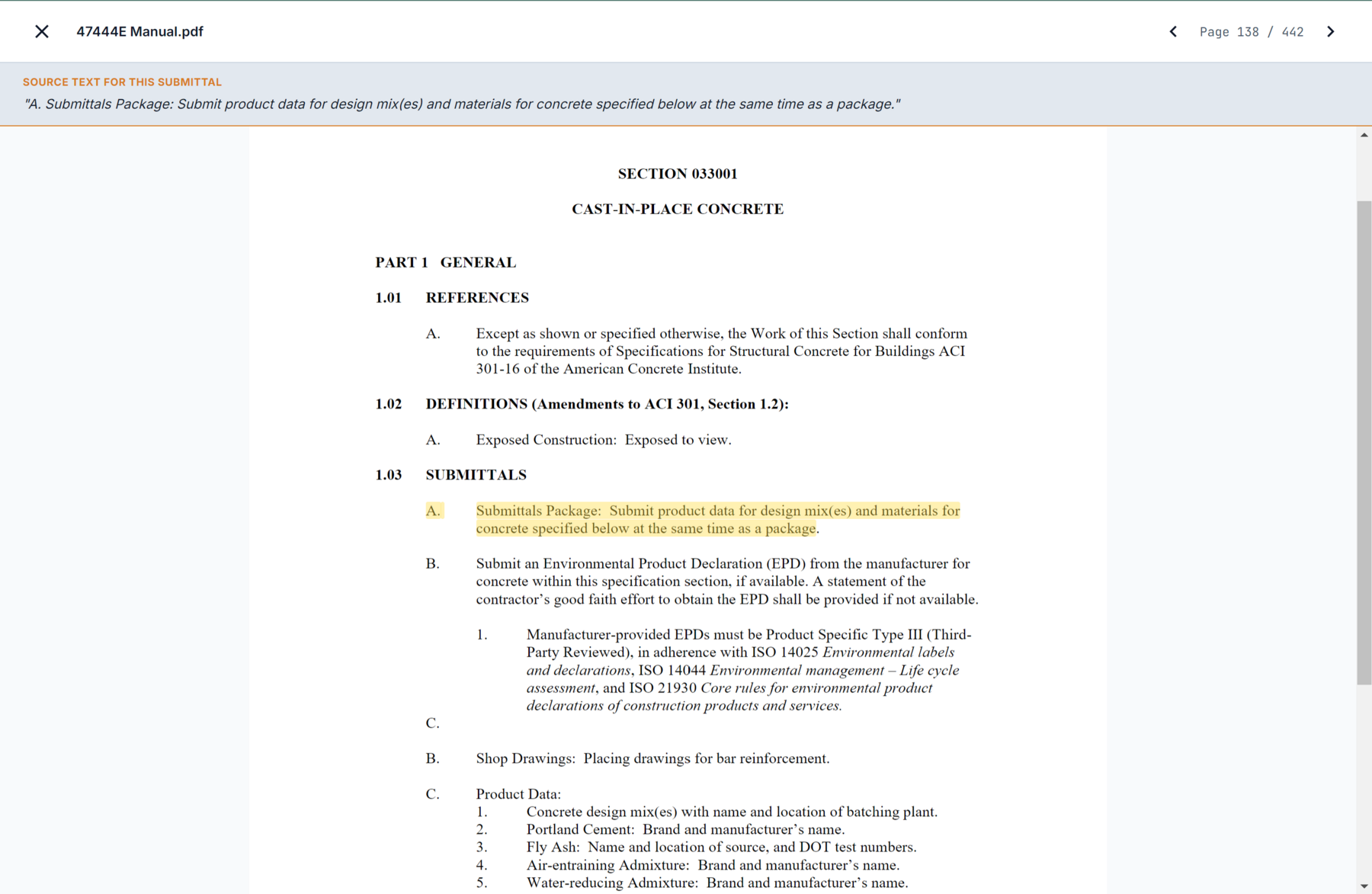
Check the page behind a requirement instead of searching the project manual again.
No draft is final, and SubPro does not pretend otherwise. It shows the reviewer what is ready, what the source says, and where a human needs to decide before handoff.
Rows that may need trade, section, or package review stay visible instead of blending into the log.
Open the spec page behind any row and see for yourself why it is there.
Mark each row ready, needs-edit, or hold. Only ready rows move to the export.
Submittal review is where a PE or PM decides whether the log is right: is this requirement real, is it assigned to the correct party, does it need a substitution, is the package evidence sufficient. Traditionally that means a reviewer bouncing between a spreadsheet, the spec PDF, and a folder of cut sheets, rebuilding context for every row.
SubPro puts the evidence next to the decision. Each row shows its source specification page and any available package matches in the same view, so the reviewer confirms the basis without leaving the row. The rows that need a human call are flagged, so attention goes where it matters instead of spreading evenly across a long list.
Nothing here removes the reviewer. SubPro prepares the context and surfaces the decisions. The team still confirms scope, package suitability, timing, and the final call. The point is to make review a decision step, not a scavenger hunt.
Take Section 07 21 00 Thermal Insulation. Here is what the reviewer sees and decides.
The insulation product data row shows its 07 21 00 source page, so the reviewer confirms the requirement in a click.
Where an equal is allowed, the row is flagged for a decision, so the reviewer chooses rather than the draft assuming.
Required test data rows sit with their source references, so compliance items are not overlooked.
The reviewer marks each row ready, needs-edit, or hold, and only ready rows move to the handoff.
It helps a reviewer inspect each draft row alongside its source specification page, the available package evidence, and any flags, so they can decide what is ready, what needs cleanup, and what moves into the handoff, without hunting back through the manual.
A flag marks a row that needs a human decision, such as a substitution, an owner selection, or a requirement that needs clarification. Flagged rows stay visible instead of blending into the log, so the reviewer acts on them before the set is treated as ready.
SubPro keeps package matches and source notes visible next to the row for team review. The exact available evidence depends on the project and product materials, and the reviewer decides whether it is sufficient.
No. SubPro supports construction workflow review and handoff prep. Professional, contractual, and design approval remains with the responsible project parties.
The pages on either side of the review step.
How source checks and human review stay in the workflow.
The basic project list review starts from.
How reviewed output moves into a clean handoff.